

Home › Services › Cloud & Microsoft 365
Cloud & Microsoft 365
Email, files, Teams and servers in the cloud. Set up, migrated and looked after.
Microsoft 365 and Google Workspace for everyday work, Azure for the servers and applications that still need one. Licensing handled for you, a weekend migration with nobody locked out on Monday, and someone to call when Outlook does something strange.
At a glance
- Migration over a weekend, staff working Monday morning
- Azure virtual servers and hosted desktops when you still need a server
- Licensing on one bill with support, itemized by user
- MFA, backup and security settings done on day one
- Microsoft Cloud Solution Provider partner
The server in the closet isn’t cheaper. It’s just the thing that fails on a Friday.
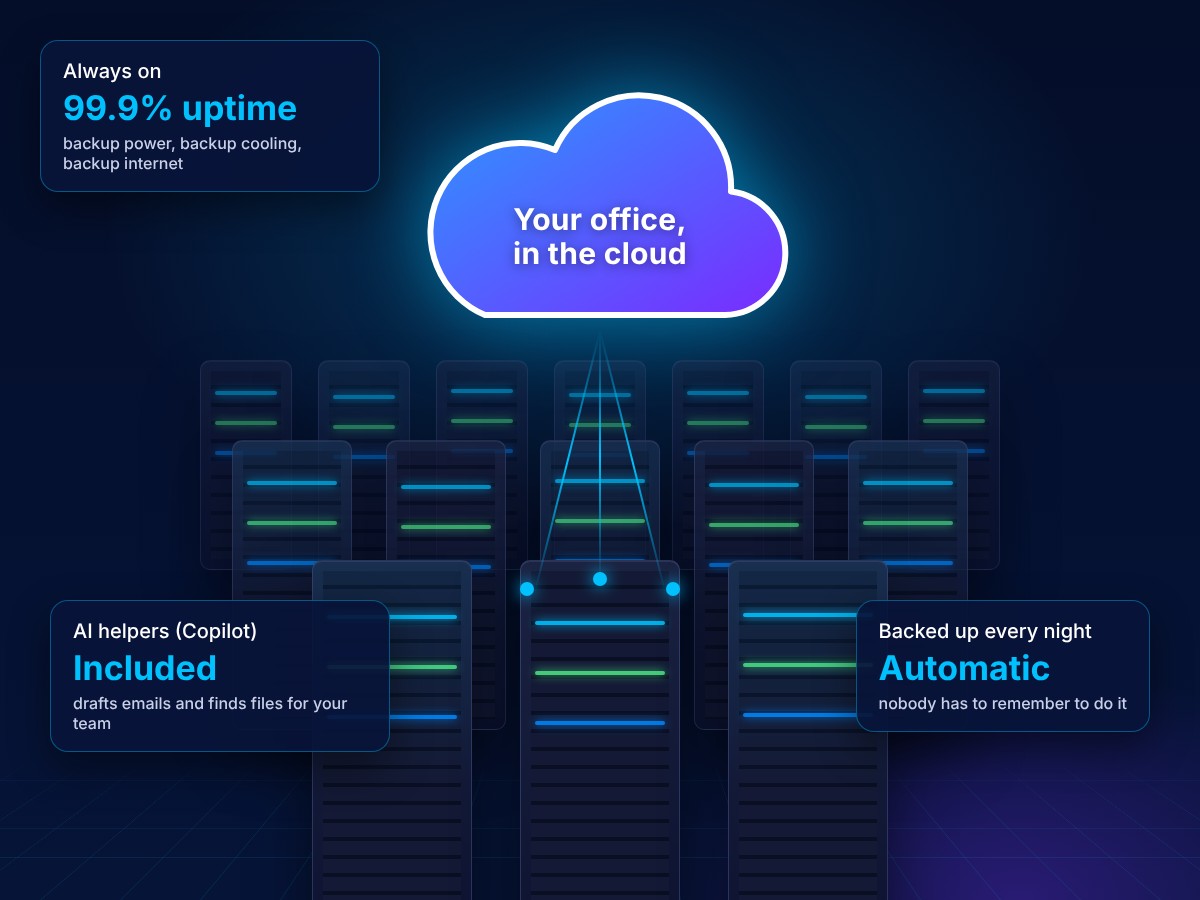
We’ll be straight about the money: for a lot of offices, Microsoft 365 plus an Azure server costs about the same each month as owning hardware once you count the replacement cycle, the backup gear and the hours. What you’re paying for is a different thing: Microsoft’s data centers instead of a closet. Redundant power, cooling and connectivity, backups built in, no single hard drive or thunderstorm that takes the whole office down.
We do the move, keep the licensing straight, size the Azure side so you’re not overpaying, and run it afterwards. Same email addresses, same files, and the outage days go away.
Compare
What changes when you move.
| Server in the office | Microsoft 365 with Circuit VA | |
|---|---|---|
| Exchange on a box you own and patch | Exchange Online, 50 GB mailboxes, works on any device | |
| Files | Shared drive, VPN from home | SharePoint and OneDrive, open from anywhere, version history |
| Meetings & chat | Separate apps, separate bills | Teams included |
| Backup | You remember to swap the drive | Off-site backup of mail and files, tested restores |
| Security | Antivirus and hope | MFA, conditional access, EDR configured from day one |
| Line-of-business apps | A server in the closet, one drive and one power strip from downtime | Azure virtual server or hosted desktop, redundant power, backed up nightly |
| Cost | A big purchase every 5 years, plus backup gear, power and the hours in between | Predictable monthly; often similar in total, with no replacement cycle |
| When it breaks | Everyone waits for the fix | Microsoft’s 99.9% uptime, and our help desk for the rest |
Azure & cloud servers
Still need a server? Put it where it can’t fail on a Friday.
Some businesses have an application that only runs on Windows Server: practice management, estimating, an accounting system, a database behind a line-of-business app. The server in the closet runs it, and when the server dies, so does the business for a day or two.
We move that server to Microsoft Azure as a virtual machine, or replace it with a hosted desktop so staff open the same apps from any device. No hardware to buy every five years, backups and failover built in, and it scales up for tax season and back down in May.

Azure virtual servers
Your Windows or Linux server rebuilt as an Azure VM, sized to what you actually use, with automatic backups and a tested recovery plan.

Hosted desktops
Azure Virtual Desktop or Windows 365: a full Windows desktop in the cloud, so remote and seasonal staff work securely from any device.

Hybrid identity
Entra ID connected to what you have, so one login covers Microsoft 365, the cloud server and the office PCs, with MFA everywhere.

Cost control
Right-sizing, reserved pricing and auto-shutdown schedules, reviewed quarterly. You see the Azure usage itemized each month alongside our management fee.
Migration weekend
How a move actually runs.
Week 1
Inventory
Mailboxes, shared folders, distribution lists and the apps that send email. Nothing gets missed because we wrote it down.
Week 2
Set up the tenant
Licenses, security settings, MFA and backup configured before any data moves. Staff get a 10-minute heads-up session.
Weekend
Cutover
Mail and files copied, DNS switched Friday evening, devices signed in. We stay online through the weekend.
Monday
On-site support
Someone at your office Monday morning for the questions, then ongoing support from the help desk.
What’s included
Everything you need from Microsoft 365, kept tidy.

Exchange Online email
Business email with shared mailboxes, calendars and room booking, on phones, laptops and the web.

SharePoint & OneDrive
A sensible folder structure so shared files stay shared and personal files stay personal, with version history.

Teams
Chat, meetings and calling, set up with the right channels so it replaces the group text and the three other apps.

Security baseline
MFA, conditional access, anti-phishing policies and audit logging turned on, not left at Microsoft’s defaults.

Backup
Microsoft keeps your data running; it doesn’t back it up for you. We do, with 30-day point-in-time restores for Microsoft 365 and nightly backups of Azure servers.

Licensing & users
New starters set up before their first day, leavers offboarded the same hour, and licenses right-sized every quarter.
Do we lose our email addresses?
No. Your domain and every address stay exactly as they are. The only thing that changes is where the mailbox lives.
How long will email be down during the move?
Usually minutes, late on a Friday. Old mail keeps arriving at the old server until the switch, and we copy anything that lands in between.
Microsoft 365 or Google Workspace?
Both are fine. If your staff live in Outlook and Excel, Microsoft 365. If they live in Gmail and Google Docs, Workspace. We support both and will tell you honestly which suits you.
Isn’t Microsoft 365 already backed up?
Microsoft keeps the service running, but deleted items are gone after a retention window and ransomware can encrypt OneDrive files. A separate backup is cheap and insurers expect it.
Can you take over an existing Microsoft 365 tenant?
Yes. We review the security settings, clean up licensing and take over support without changing anything your staff see.
Do we still need a server at all?
Often not. Email, files and Teams live in Microsoft 365. If one application genuinely needs Windows Server, it runs in Azure as a virtual machine or behind a hosted desktop, and the box in the closet is retired.
Ready to move off the server in the closet?
Book a free migration planning call. You’ll get a written plan and a fixed quote.